
Keyless Entry Door Locks: What Families Get Wrong Before Buying
The most common misconception about fingerprint door locks is that they’re complicated technology prone to failure. That reputation is mostly outdated — and about five years behind the actual product market. The second misconception is that spending under $50 gets you a novelty item rather than a functional security device. That one’s more nuanced, and worth unpacking carefully.
This breakdown covers how fingerprint and keypad deadbolts actually function, where they fail in real-world conditions, what separates a $43 lock from a $220 one, and when you genuinely shouldn’t buy a budget smart lock at all.
Why Managing Physical Keys Breaks Down Faster Than You Think
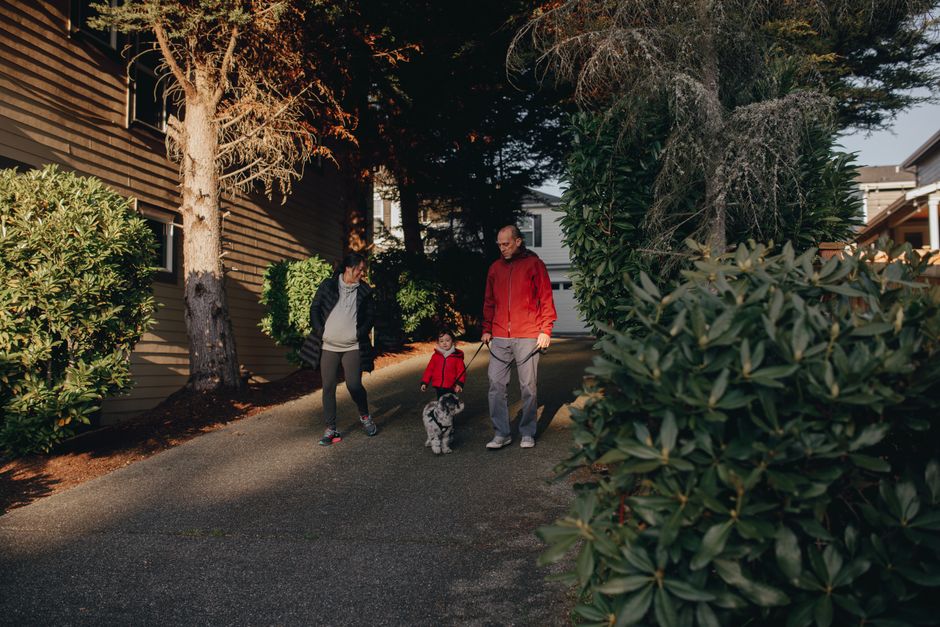
Picture this: it’s 3:45 PM on a Tuesday. Your kid gets home from school 20 minutes before you do. You gave them a house key. That key is somewhere at the bottom of a backpack, under a half-eaten granola bar and three crumpled permission slips. They’re sitting on the porch steps. Again.
This is the actual problem fingerprint and keypad locks solve. Not “smart home integration.” Not military-grade encryption. Just the daily friction of managing physical keys across a household of people with different schedules, different reliability levels, and different pockets.
The average four-person household manages somewhere between 6 and 10 physical keys — two adults, teenagers, grandparents with spare sets, a dog walker, the occasional house-sitter. Every key cut is a minor security event. Every lost key is a question mark that most families quietly ignore rather than address with a locksmith visit and a re-key.
Keypad and fingerprint locks replace that entire system with access codes. You assign a code instead of cutting metal. You revoke the dog walker’s access without calling anyone. You see in the app log exactly when your teenager got home. That’s genuinely useful — not as a surveillance tool, but as peace-of-mind confirmation that the sequence of events you expected actually happened.
What the Lock Actually Needs to Do
A deadbolt is a security device before it’s a convenience device. That framing matters because it shapes what you should prioritize when buying. Locksmiths consistently note that most residential break-ins aren’t about bypassing electronics or picking locks — they’re about kicking in doors with weak strike plates, exploiting unlocked windows, or simply walking through unlocked entrances.
The ANSI Grade system is the relevant standard here. Grade 1 deadbolts (commercial grade) withstand significantly more forced-entry attempts than Grade 3 (basic residential). The Schlage B60N — a traditional deadbolt at roughly $30 — is Grade 1 certified. Budget smart locks at the sub-$50 price point often don’t specify their ANSI grade in product listings. That’s a meaningful omission if security is your primary concern rather than convenience.
For most suburban families in low-to-medium crime areas replacing a standard residential deadbolt: this tradeoff is perfectly acceptable. For a primary front door in a dense urban neighborhood with higher break-in rates, the answer changes — and we’ll cover that in the failure modes section below.
The Hidden Cost of Key Distribution
Re-keying a lock costs $50-$100 per lock through a locksmith. If you move into a home and don’t re-key, every previous owner, tenant, contractor, or neighbor who ever had a key still has access. Most families skip this step and rationalize the risk. A keyless lock eliminates the problem entirely — there are no keys to copy, and access codes can be changed in 30 seconds from an app.
For landlords and short-term rental hosts, this is the single clearest economic argument for smart locks. The Schlage Encode Plus ($220) or a budget fingerprint deadbolt both solve the same problem — the difference is build quality, certification level, and integration depth with platforms like Apple Home or Google Home.
How Fingerprint Door Locks Work — and Where They Actually Fail

Consumer fingerprint readers use capacitive sensing — the same fundamental technology as your phone’s fingerprint scanner, though typically with lower-grade sensors at this price point. The lock maps the ridge patterns on your finger, stores a hashed version of that map, and compares live scans against stored data on each access attempt.
The failure modes are consistent and predictable across brands:
| Entry Method | Speed | Reliability in Wet/Cold | Works Without Battery | Remotely Revocable |
|---|---|---|---|---|
| Fingerprint scanner | Fast (~1 sec) | Reduced — wet or cold fingers fail more | No | Yes (delete from app) |
| Touchscreen keypad | Moderate (3–6 sec) | Good on IP54-rated models | No | Yes (change code) |
| App (Bluetooth) | Slow (app launch + pair) | Excellent | No | Yes (immediate) |
| Physical key backup | Fast | Excellent | Yes | No — requires re-keying |
IP54 Weatherproofing: What It Covers and What It Doesn’t
IP54 is a dual-rating: the “5” means partial dust protection (not total), and the “4” means protection against water splashing from any direction. It handles rain, sprinkler spray, and morning humidity without damage. It does not handle full submersion, pressure washing, or ice buildup — ice forming on a touchscreen can render it temporarily non-functional until it melts or is cleared.
The fingerprint keyless entry deadbolt with app control at $49.99 carries IP54 certification, which covers the vast majority of US climates and standard covered-entryway installations. If your front door has no overhang and takes full exposure to driving rain and ice, IP65 or higher is the appropriate spec — that level starts appearing on locks like the Schlage Encode Plus or the Ultraloq U-Bolt Pro, both over $150.
Wet Fingers, Gloves, and Winter — The Practical Test
Here’s what product listings don’t say clearly enough: in winter, gloves make fingerprint entry impossible. Wet hands from rain reduce scan accuracy by 30–60% depending on sensor quality. Consumer optical sensors at this price point struggle meaningfully more than the advanced ultrasonic readers built into flagship smartphones.
The practical workaround is straightforward — use the PIN keypad as your primary entry method and treat the fingerprint reader as a fair-weather convenience feature. Both locks covered here support this approach. Auto-lock, which re-engages the deadbolt after a configurable delay, compensates for the habit of walking away without manually locking. Set it to 3–5 minutes, not 30 seconds, or you’ll find yourself locked out mid-grocery-run.
The $42.99 vs. $49.99 Pick: A Direct Answer
Both locks carry a 4.0/5 rating across 60 reviews. Both are IP54 rated. Both offer fingerprint, keypad, and app entry. The Smart Deadbolt at $42.99 is the cleaner choice for secondary entrances, rental units, or interior doors where aesthetics matter less. The $49.99 model suits a primary front door where you want a more integrated look. The $7 price difference reflects a form factor variation — not meaningfully superior hardware, sensors, or encryption. If price is the deciding factor, buy the $42.99 version.
When a Budget Smart Lock Is the Wrong Choice
This is the section most product reviews skip. These are the real situations where a sub-$50 smart lock is the wrong tool:
- High-crime urban environments. Lock cylinder quality matters here, and budget smart locks use basic cylinders that are pickable with mid-level technique. The Yale Assure Lock 2 ($100–$130) uses a Grade 2 deadbolt with a pickguard. The Schlage Encode Plus ($220) is Grade 1 ANSI certified — a substantially more secure mechanical foundation with smart features layered on top. Spend the money if your neighborhood warrants it.
- Doors without standard deadbolt prep. These locks assume a pre-drilled ANSI door prep hole. Non-standard doors — old steel, custom wood, some hollow-core interior doors — may not accommodate a standard deadbolt installation without modification. Measure your door thickness before ordering: both units here fit doors 1.375″ to 2″ thick, with backset options at 2-3/8″ and 2-3/4″.
- Households that need reliable remote access from distance. Budget smart locks in this tier are Bluetooth-primary, meaning app control requires proximity unless you configure a Wi-Fi bridge or specific router integration. If you need to unlock your door remotely while traveling, or check door logs from another city, you want built-in Wi-Fi — which appears in the August Smart Lock Pro ($200) or Schlage Encode. The workaround of leaving Bluetooth range for remote access is unreliable in practice.
- High-turnover rental properties. Consumer touchscreens scratch and wear visibly over time. After 18–24 months of daily tenant use, wear patterns on the keypad effectively reveal which digits the PIN code uses. Institutional-grade keypads are built with harder materials specifically to resist this. For a long-term owner-occupied home, this is a non-issue. For a vacation rental, it becomes a real concern by year two.
- Anyone who requires a physical key as a non-negotiable backup. These are deadbolt-only units with no integrated door handle. If you want a physical key emergency override, confirm that your specific model includes a key cylinder — and check whether the handle set on your door provides that separately. Not all configurations include a physical key bypass at this price point.
These aren’t obscure edge cases. They describe a significant portion of real households. Know which category you’re in before adding to cart.
Questions Families Ask Before Switching to Keyless Entry
What actually happens when the battery dies?
Both units run on standard AA batteries with a rated lifespan of 6–12 months under normal use. The app sends a low-battery alert before failure, and an LED indicator on the keypad also warns you. If the battery dies completely before you replace it, the standard emergency fix is holding a 9V battery against the contact terminals on the underside of the keypad — this provides just enough temporary power to enter your PIN and open the door. It’s not obvious, but it’s an industry-standard recovery method that works on most consumer deadbolts. Keep a 9V battery somewhere nearby if this concerns you.
Can someone break in through the app?
At a practical level for residential use: the app is not your meaningful attack surface. Real residential burglars exploit physical weaknesses — weak door frames, cheap strike plates, unlocked windows. App-based attacks on Bluetooth locks require physical proximity to the lock, knowledge of the specific brand and firmware, and technical capability that far exceeds what residential burglars typically deploy. Your PIN code security matters far more than your app security. Don’t use sequential numbers, birthdays, or repeating digits. Change codes every six months, and immediately when someone who had access moves out.
How many codes and fingerprints can the lock store?
Budget smart locks in this category typically store 50–100 fingerprint templates and 10–30 access codes. For a household of four people plus occasional guests, that capacity is generous. It becomes a constraint only for high-turnover rental situations with constantly rotating access codes — in those cases, app-based code management with automatic expiration is a more useful feature to evaluate than raw storage capacity.
Is 30-minute installation actually realistic for a non-handyperson?
Replacing a deadbolt is one of the most accessible home improvement tasks that exists. You need a Phillips-head screwdriver and 20–30 minutes. The two steps people consistently get wrong: forgetting to check door handedness before ordering, and not confirming the existing backset measurement (2-3/8″ or 2-3/4″ are the two standard options). Both measurements are common in US residential construction; both units here accommodate both backsets. If your existing deadbolt came out cleanly and your door has a standard ANSI prep hole, installation is genuinely straightforward. The keyless deadbolt with fingerprint and touchscreen access is designed for no-drill installation on pre-drilled doors, and that holds up for standard American residential door construction.
Should I enable auto-lock, and what interval makes sense?
Yes, enable it. The failure mode that auto-lock prevents — walking out and forgetting to engage the deadbolt — is far more common than most people admit. The failure mode that auto-lock creates is setting the interval too short and getting locked out mid-errand. Three to five minutes is a reasonable default for most households. Before activating auto-lock, make sure every person in the household who needs access has successfully enrolled at least two entry methods — fingerprint and PIN — so a forgotten code doesn’t strand someone outside.
This is not legal advice — consult a licensed attorney for questions related to landlord-tenant law, property security obligations, or insurance requirements in your jurisdiction.
Medical Disclaimer: This content is for informational purposes only and does not constitute medical advice. Always consult a qualified healthcare professional before making health-related decisions.