

Smart Door Lock Security: What $50 Buys Your Front Door
The most important thing to know upfront: a fingerprint keyless deadbolt under $50 is a real security upgrade for most homes — not a gimmick, not a liability. Whether it is the right choice for your specific door, lease, and household depends on a few practical and legal factors that rarely appear on the product listing.
This article does not constitute legal advice. For questions about home security obligations, landlord-tenant lock requirements, or insurance implications, consult a licensed attorney licensed in your state.
How Smart Deadbolts Actually Work — and Where Budget Models Fall Short
A fingerprint smart deadbolt bundles three technologies into one unit: a capacitive biometric sensor, a microprocessor storing encrypted fingerprint templates, and a motor-driven bolt. Most models in this price range store 50 to 100 fingerprint templates, accept a PIN backup via keypad, and pair with a smartphone app over Bluetooth. That’s the architecture. Here’s what matters in practice.
Fingerprint Sensor Reliability at This Price Point
Budget fingerprint sensors typically operate with a false-rejection rate of 1–3% under normal conditions. Translation: roughly one in every 30–100 reads might fail, usually due to dry skin, surface moisture, or minor cuts. Cold temperatures below 14°F (-10°C) can degrade accuracy further on capacitive sensors.
This is precisely why the better-designed budget locks — including the $49.99 fingerprint deadbolt with keypad and app control — include independent PIN and app access as fallbacks. Redundancy isn’t a luxury feature at this tier. It’s what makes biometric entry actually workable day-to-day when a wet finger comes home from washing the car.
For comparison: the August Smart Lock Pro ($149–$199) uses an optical sensor rather than capacitive, which performs better in wet or cold conditions. The Schlage Encode Plus ($249) skips fingerprint entirely in favor of a proven PIN keypad with Bluetooth and Wi-Fi — a deliberate design choice, not an omission. Neither approach is inherently superior; they represent different tradeoffs at different price points.
What IP54 Actually Covers
Both locks carry an IP54 weatherproof rating. The “5” means dust-protected. The “4” means splash-resistant from any direction. IP54 handles rain, sprinklers, and condensation without issue. It does not handle submersion, pressure washing, or prolonged water pooling against the unit.
For any covered entryway, IP54 is more than sufficient. For doors with direct weather exposure in high-rainfall climates, it holds up well provided the unit is mounted flush — no gaps where water can collect against the housing. A Minnesota winter won’t trouble it. A pressure washer will.
Physical Security: The Honest Numbers
The bolt throw length and strike plate installation determine how much forced entry a door can withstand — not the lock cylinder or its electronics. A 1-inch bolt anchored with 3-inch strike plate screws that reach the structural stud is more resistant to kick-in attacks than any smart lock with a weak strike plate, regardless of price.
The meaningful gap between this price range and brands like the Schlage B60N or Yale Assure Lock 2 is ANSI certification and third-party testing rigor, not necessarily real-world performance. The FBI’s residential burglary data consistently shows most break-in attempts are opportunistic and fast. A properly installed, unrated deadbolt with a solid strike plate is a real deterrent. The ANSI Grade 1 certification matters more in high-risk commercial and multi-family settings than in the average single-family home.
Side-by-Side: $49.99 vs. $42.99 vs. Traditional Keyed Deadbolt
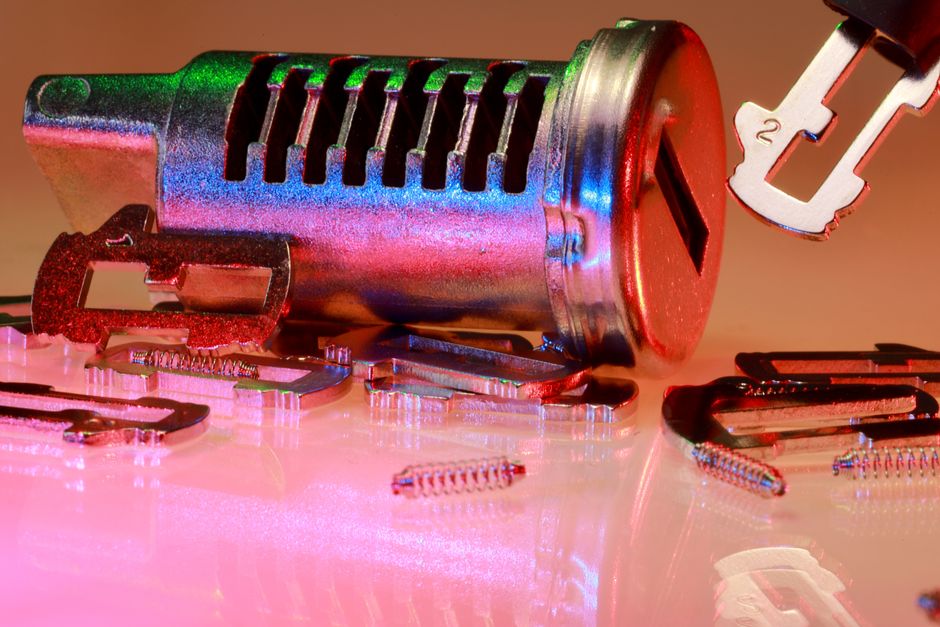
Both smart locks here come from the same product line with identical core functions. The $7 price difference reflects finish and minor cosmetic variation — not security or feature differences. Here’s the full comparison:
| Feature | $49.99 Matte Black (No Handle) | $42.99 Glossy Black (No Handle) | Traditional Keyed Deadbolt |
|---|---|---|---|
| Price | $49.99 | $42.99 | $20–$80 |
| Fingerprint Access | Yes (up to 100 prints) | Yes (up to 100 prints) | No |
| Keypad PIN | Yes | Yes | No |
| Smartphone App | Yes (Bluetooth) | Yes (Bluetooth) | No |
| Auto-Lock | Yes (adjustable timer) | Yes (adjustable timer) | No |
| Weather Rating | IP54 | IP54 | Typically unrated |
| Access Logging | Yes (via app) | Yes (via app) | No |
| Finish | Matte Black | Glossy Black | Multiple options |
| Physical Key Backup | No | No | Yes |
| ANSI Grade Certification | Unspecified | Unspecified | Grade 1–3 available |
The verdict: if glossy finish works with your existing door hardware, the $42.99 model delivers identical core function for $7 less. The matte black finish on the $49.99 version is more forgiving of daily fingerprint smudges on the keypad face — a minor but genuinely irritating real-world factor on a surface touched five to fifteen times per day.
Neither model includes a physical key cylinder. That’s a deliberate design choice. It also means if the battery dies and your phone is unavailable, a memorized PIN is your only fallback. Keep that code stored somewhere other than solely in the phone you might have misplaced along with your keys. A card in your wallet, not just a note in the same app.
Where the budget tier consistently loses ground to the Yale Assure Lock 2 ($149) and Schlage Encode Plus ($249): long-term app support, smart home ecosystem integration (Matter, HomeKit, Google Home), and ANSI-certified bolt and strike hardware. Those differences matter if you’re building a unified smart home or if the door in question is the primary security perimeter for a high-value property. For a secondary entrance, a rental unit, or a household where the main problem is children losing keys, the premium rarely delivers proportional value.
Six Installation Errors That Compromise Security Before Day One
The majority of smart lock failures in one-star reviews are installation problems, not product defects. These six errors account for most of them:
- Wrong backset measurement. Standard deadbolts use either a 2-3/8 inch or 2-3/4 inch backset — the distance from the door edge to the center of the bore hole. Installing the wrong size means the bolt either fails to reach the strike plate or binds on every cycle. Measure with a tape measure before ordering, not after.
- Skipping door alignment. A door that drags or requires force to close causes the motor to strain with every lock cycle. This reduces battery life from the rated 6–12 months down to weeks in severe cases. Fix the door alignment and any warping issues before installing any smart lock.
- Leaving the factory admin PIN unchanged. Some units ship with a preset PIN documented in the box. Change it within the first ten minutes of setup. This is the smart lock equivalent of keeping a router on its default admin credentials — a known vulnerability that costs nothing to fix.
- Weak strike plate screws. The screws shipped with most doors are 3/4 inch — they anchor into the door jamb facing, not the structural stud behind it. Replace them with 3-inch screws that reach the stud. No deadbolt, smart or traditional, compensates for a strike plate that separates from the frame under shoulder pressure.
- Auto-lock interval set too short. A 30-second auto-lock timer sounds maximally secure. In practice, it locks household members out mid-entry when carrying bags, strollers, or groceries. Start at 3–5 minutes and adjust based on actual entry patterns. Courts in landlord-tenant cases have noted overly aggressive auto-lock features as a contributing factor in access disputes — so this isn’t purely a convenience issue.
- Overcrowding the fingerprint database on day one. Registering all ten fingers for every household member immediately fills the available template slots and increases false-accept rates over time. Start with one index finger per person. Add backup fingers only after confirming that the primary finger reads reliably across conditions — cold hands, post-workout, dry winter skin.
When a Smart Lock Is the Wrong Answer
If your door frame has wood rot, significant misalignment, or a bore hole that doesn’t match standard sizing, installing a smart deadbolt adds electronic complexity on top of an already-compromised entry point. Fix the structural problem first. And renters should confirm their lease terms and local housing code before touching any lock hardware — in several states, specific landlord notice requirements apply even when tenants hold a legal right to make the change. This is not legal advice; consult a licensed attorney before modifying any entry hardware in a rental unit.
Legal and Insurance Questions Homeowners Actually Ask About Keyless Entry
These questions come up regularly in homeowner forums and real estate communities but rarely appear on product pages. None of the following constitutes legal advice. Laws vary by state, municipality, and lease agreement. Consult a licensed attorney for guidance specific to your situation.
Does installing a smart lock affect homeowners insurance?
In most states, no — not automatically. Standard homeowners insurance policies typically rate based on whether a deadbolt is present, not whether it is electronic. Some insurers offer premium discounts for monitored smart home security systems, but a standalone keyless deadbolt without a monitoring component generally doesn’t qualify for those discounts. Worth a brief call to your insurer to confirm, particularly if you’re replacing a previously rated lock with a model that has no ANSI certification on file.
Are electronic access logs admissible as evidence?
Courts have generally found electronic records admissible when they satisfy authentication requirements — meaning the party introducing them can show the log is accurate and unmodified. In most jurisdictions, a timestamped app log showing who unlocked a front door and when could serve as supporting evidence in a burglary claim, premises liability case, or landlord-tenant dispute. The evidentiary weight varies considerably by court and case type.
Practical step: export your access logs periodically and maintain copies outside the app’s cloud environment. App providers change terms, discontinue products, or lose data. If a particular log entry might matter to you in a future dispute, your own archived copy is far more reliable than hoping the provider retains it.
Can a landlord prohibit a smart lock installation?
In many states, yes — if the lease specifies what modifications tenants may make. California Civil Code §1940.5 is among the more tenant-protective statutes; it gives tenants the right to change locks but typically requires providing the landlord with a copy of the key or, in this context, the access code. New York and several other states have similar provisions. In less protective states, the lease agreement largely controls, and written landlord approval may be required before any hardware modification.
The operational advantage of smart locks in this context: when a tenancy ends, removing a departing tenant’s fingerprint and PIN from the app takes under two minutes. No rekeying, no locksmith, no uncertainty about whether all key copies were returned. Several state courts have treated failure to rekey locks after a tenancy ends as a relevant factor in subsequent premises liability claims — making prompt digital access revocation both a convenience and a risk management step.
Who owns the data in your access logs?
This remains an evolving area where consumer protection law hasn’t fully caught up with smart home technology. The terms of service for most smart lock apps assign data ownership to the manufacturer, with users retaining a license to access their own records. In most states, law enforcement can subpoena app providers for access logs with appropriate legal process. If log privacy is a meaningful concern for your household, review the app’s data retention and sharing policies before completing setup — not after a year of logs has accumulated.
Bottom line: For a primary door on an owned home where the main pain point is lost keys or managing access for household members and service providers, a sub-$50 fingerprint smart deadbolt is a practical, cost-effective upgrade. The $249 Schlage Encode Plus and the $149 Yale Assure Lock 2 earn their premium through certified hardware, better long-term app support, and deeper smart home integration. For the average family replacing a standard front door lock, those advantages rarely justify a 3–5x price increase.
| Use Case | Best Pick | Why |
|---|---|---|
| Family with key-losing children | $49.99 fingerprint + keypad model | Eliminates key dependency; auto-lock covers forgotten locks |
| Rental unit or secondary door | $42.99 glossy black model | Same function; $7 savings; tenant code resets in seconds |
| Primary home with smart home ecosystem | Yale Assure Lock 2 (~$149) | Matter/HomeKit support; ANSI Grade 1 certified |
| High-security residential or commercial | Schlage Encode Plus ($249) | Grade 1 certified; proven long-term firmware support |
Medical Disclaimer: This content is for informational purposes only and does not constitute medical advice. Always consult a qualified healthcare professional before making health-related decisions.